How it works
From first open to final rep.
Four steps, about as long as it takes to find your dumbbells. Here's what happens after you download Dumbly.
Set your goal, level and time
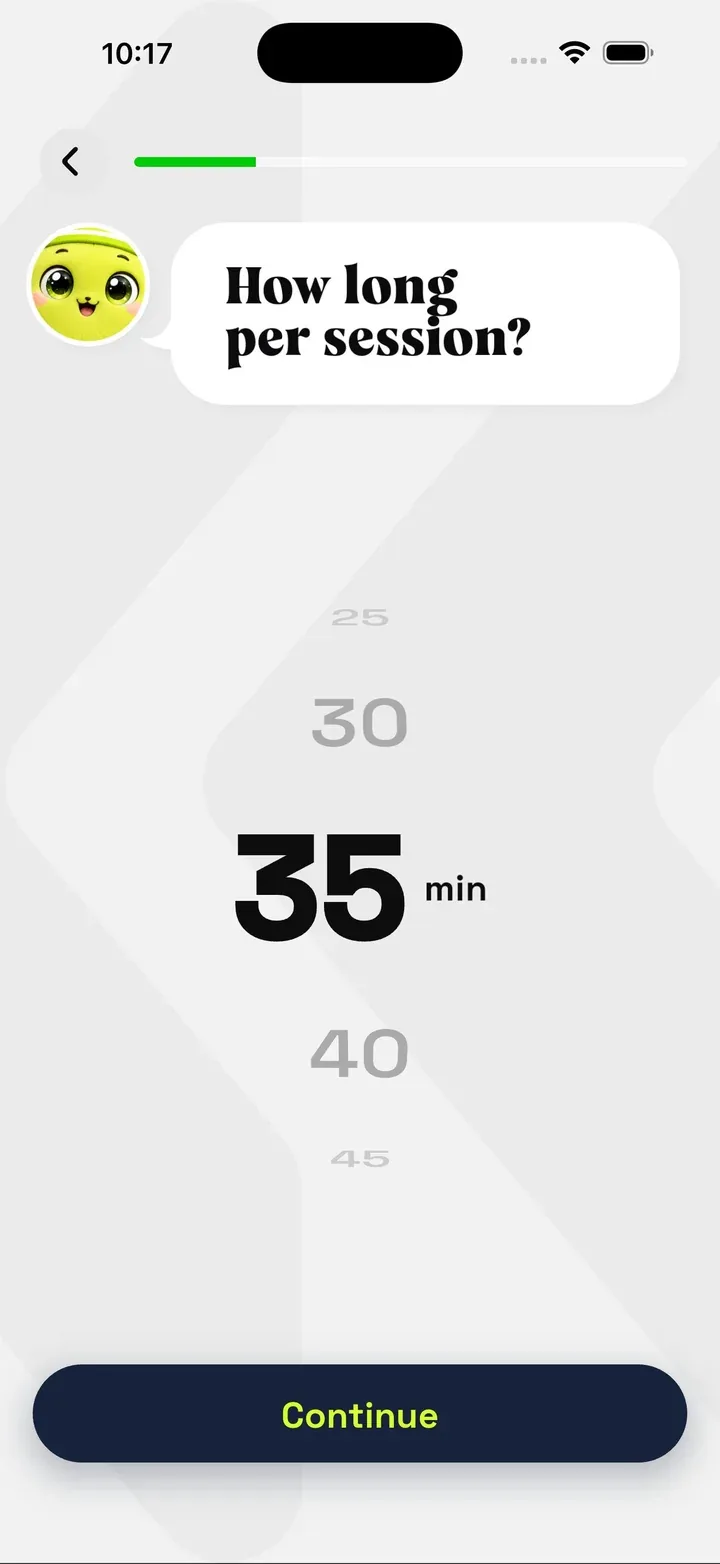
A short series of questions shapes your plan: what you want to work toward, how much strength training you've done before, and how long you want each session to last. Answer honestly. Your plan is only as good as the starting point.
- Goal. What you're training for.
- Fitness level. Beginner, intermediate or advanced.
- Time. Minutes per session, chosen on a simple dial.
Receive your personalized plan
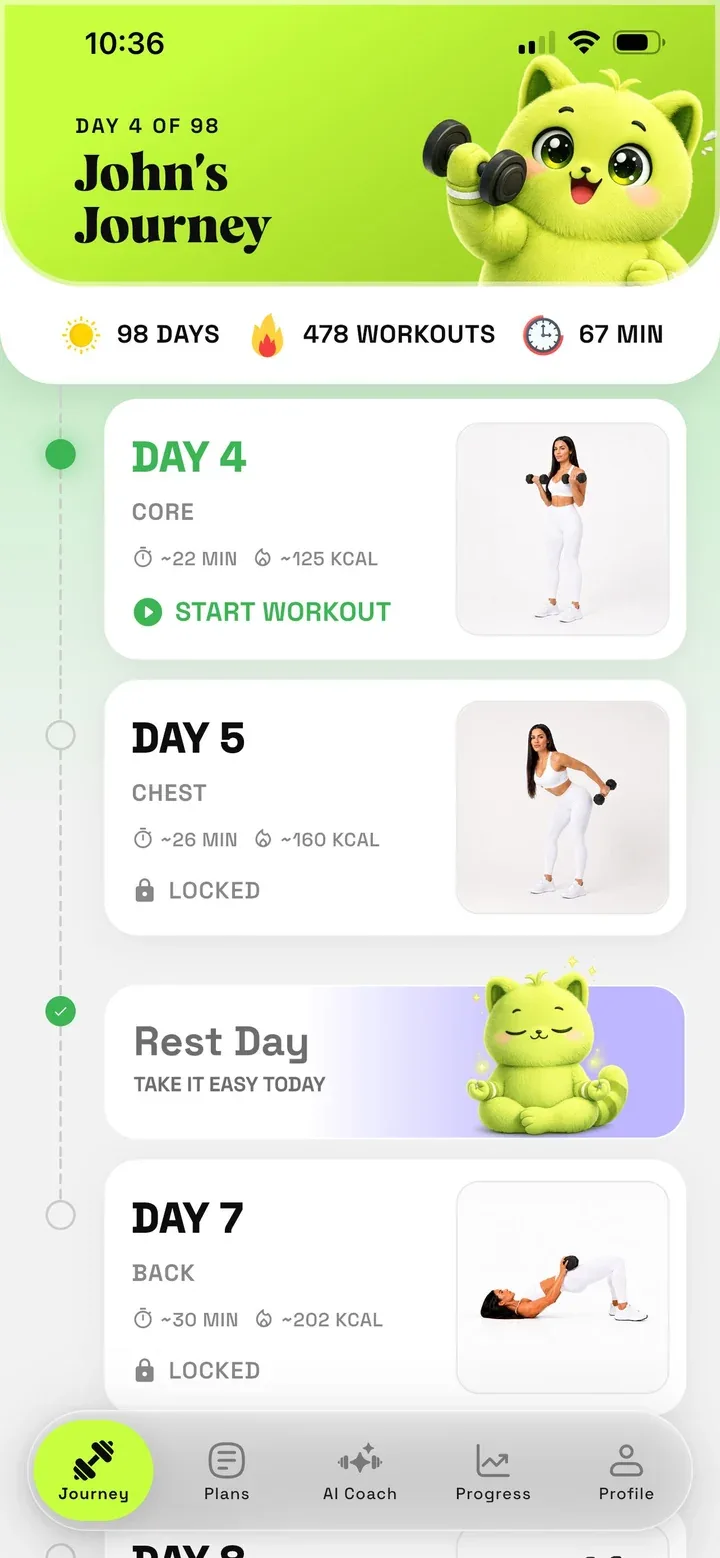
Dumbly turns your answers into a schedule. Each workout day shows its focus, an estimated duration and calories, and the rest days in between. Future days unlock as you go, so the plan stays focused on today.
Follow the guided workout
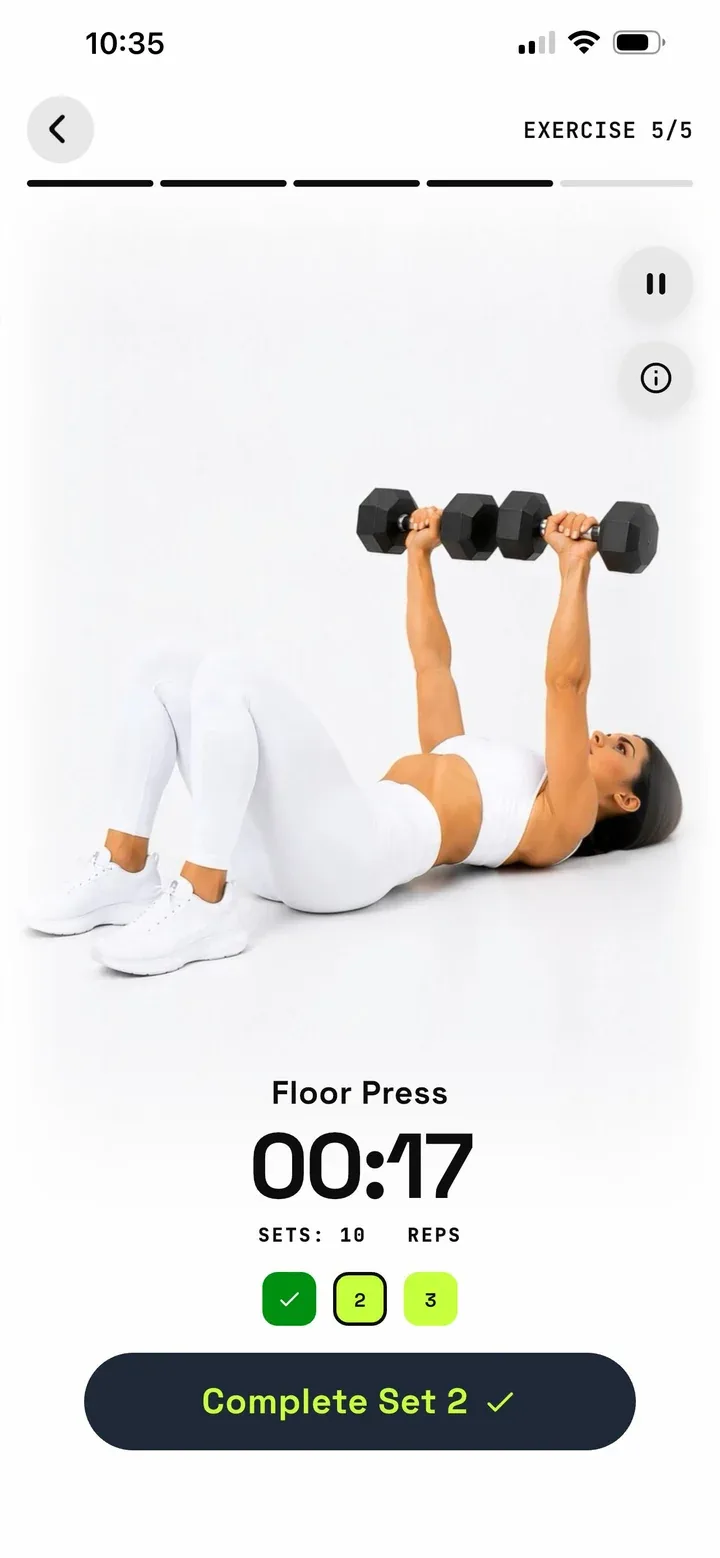
Press start and Dumbly takes you through each exercise in order. You see how the movement looks, how many sets and reps to do, and a timer with rest countdowns that keeps the session moving.
Record your training and follow your progress
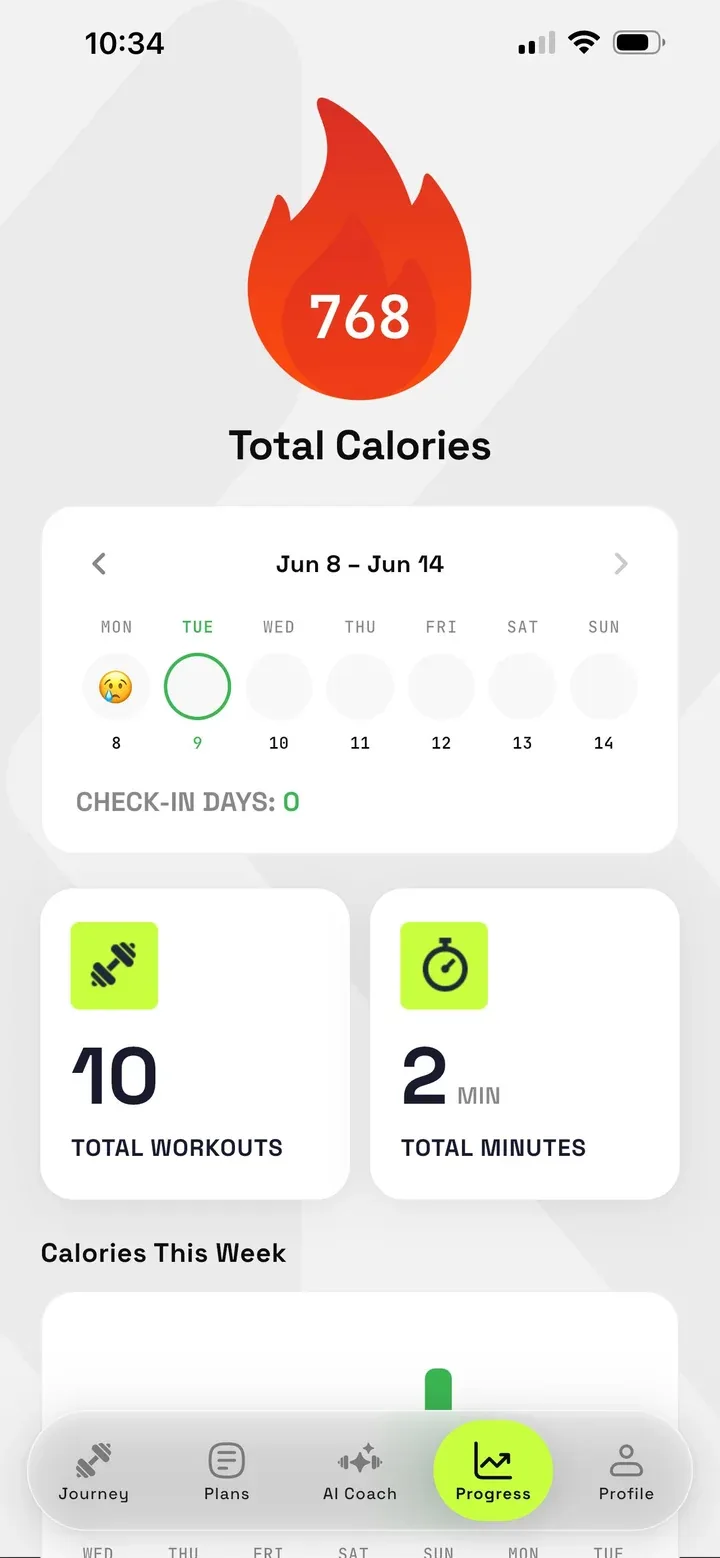
Finished sets are saved as you go, with the weights and reps you used and your personal records. Your progress view collects workouts, minutes and check-in days, so you can see the weeks stack up.
Inside a session
Everything you need, on one screen.
The workout screen is built to be read from a few feet away, with your hands full.
- Exercise counter. A segmented bar shows how far through the session you are.
- Demonstration. See the movement and its name before you begin.
- Timer. Large numbers keep each set and rest period on track.
- Set tracker. Tap "Complete set" and the next one lines up.
Train the whole body, or one part of it.
Some days call for everything, some days for a single focus. Dumbly offers both.
Full body
Upper body, lower body and core in one session. A strong default for most weeks.
Upper body
Chest, back, shoulders and arms. Pressing, rowing and curling work.
Lower body
Legs and glutes. Squats, lunges and hinges with dumbbells in hand.
Core
Midsection strength and stability. Short, focused and easy to fit in.
Offline access
Train where the Wi-Fi doesn't reach.
Garage, basement, guest room, holiday cabin. Your workouts don't depend on a signal. Features that use AI need an internet connection, so plan ahead if you want to ask the coach something.
Your first workout is a few taps away.
Download Dumbly, answer a few questions, and start today.